This post contains affiliate links. If you purchase through our links, we may earn a small commission at no extra cost to you — it helps keep the adventure going!
Hotel Wi-Fi is a gamble, and we've stopped gambling. The GL.iNet GL-MT3000 (Beryl AX) is the pocket-sized travel router we carry so that every hotel, ship and rental behaves the same way: our phones and laptops join one network we control, and the router handles the VPN.
On this page 7 sections
This is our hands-on review, with our own photos, the NordVPN WireGuard setup we use (with screenshots), and how the Beryl AX compares with GL.iNet's newer Beryl 7. We haven't used the Beryl 7 ourselves, so that comparison rests on GL.iNet's published specs and independent reviews, which we've linked.
- Buy the Beryl AX if you travel with a few phones, tablets and laptops, usually plug into hotel, ship or rental internet, and want a VPN on the router. It does everything we need, and it costs about $31 less ($98.99 vs. $129.99 on Amazon on October 18, 2026).
- Look at the Beryl 7 if you regularly have a connection faster than about 1 Gbps, want Wi-Fi 7, need two 2.5G Ethernet ports, or push heavy VPN traffic.
- Our pick: the Beryl AX.
How We Actually Use It
The biggest selling point is setup-and-forget. You configure the router once to broadcast your existing home network name. Because your devices already know that network, they connect on their own the moment the router comes online. When you arrive somewhere new, connect the router to the local internet and your whole tech ecosystem is online, without authenticating every phone, tablet and laptop one by one.
And when there's no hotel or venue Wi-Fi to plug into, we point the router at our phone's hotspot instead. We cover that in more detail below, but it's the tip we use most.
Design and Power
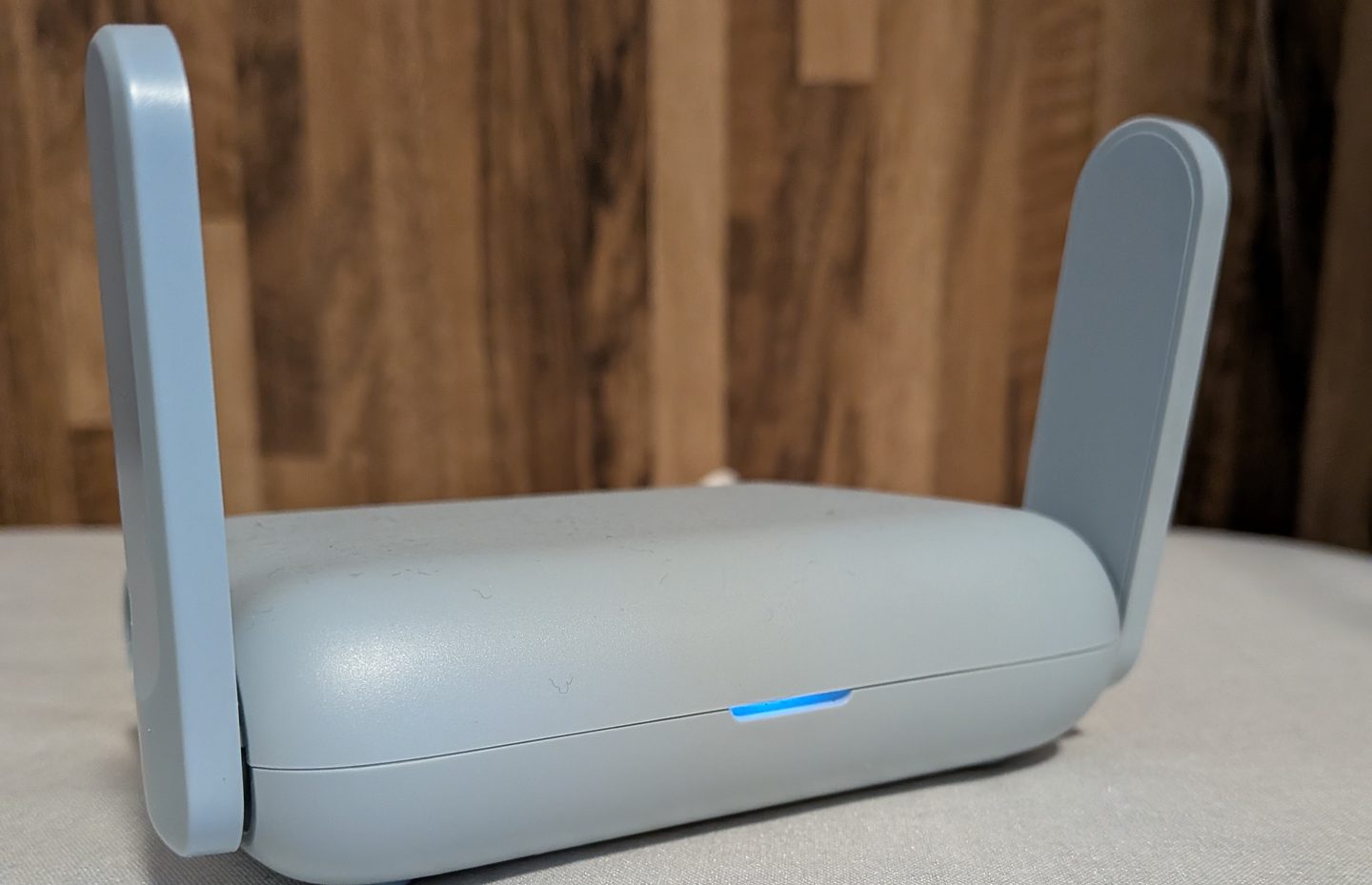
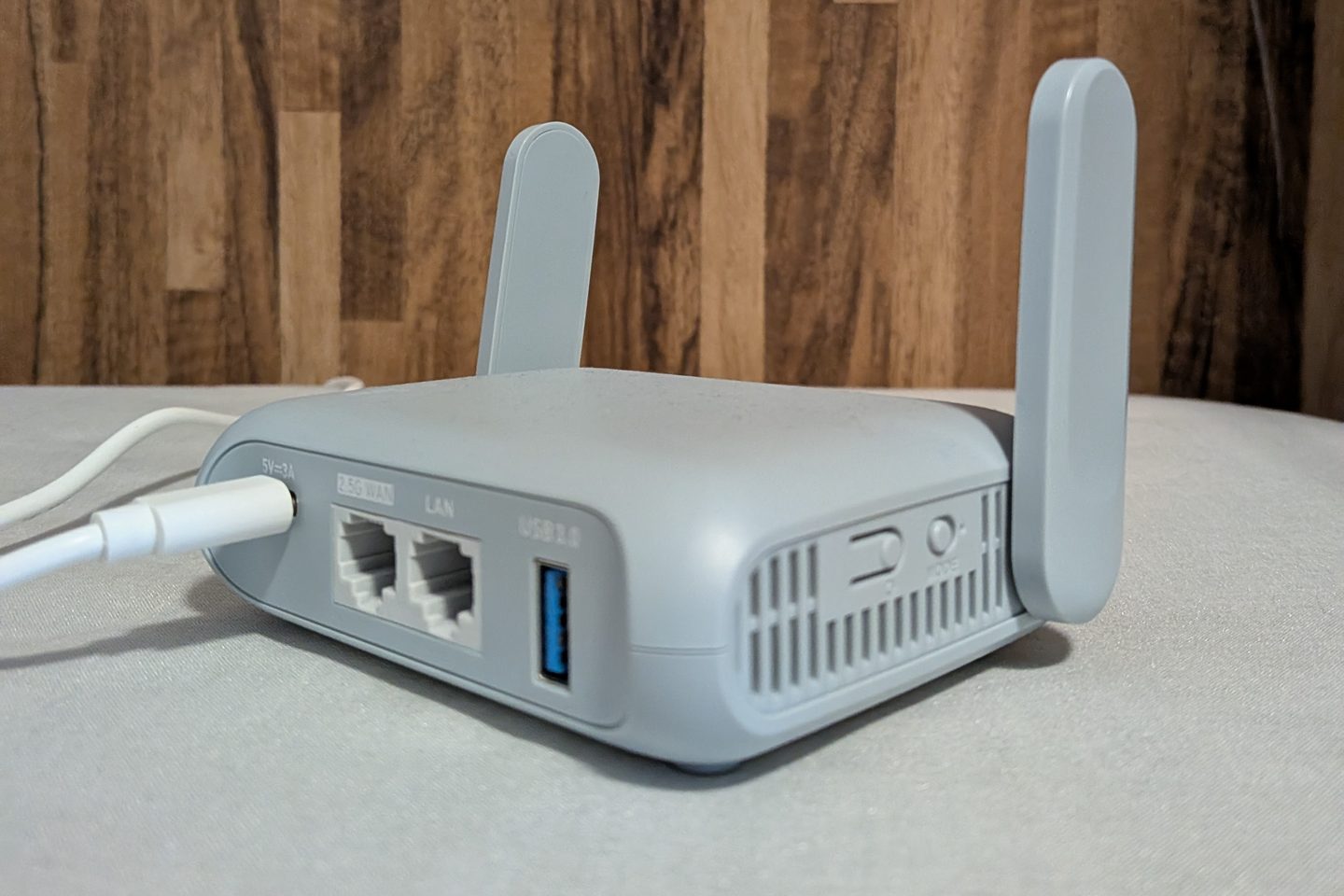
The Beryl AX is small enough to disappear in a bag, with two fold-up antennas and a single status light on the front.
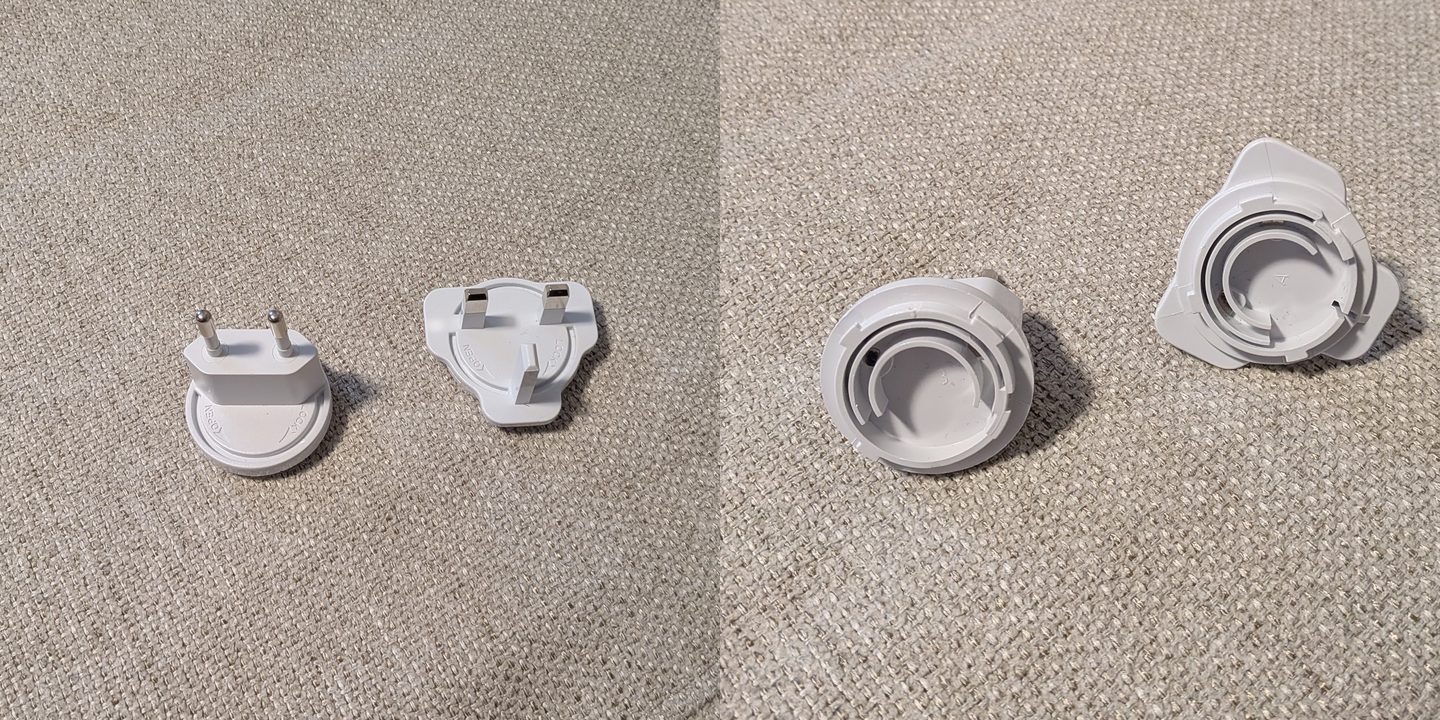
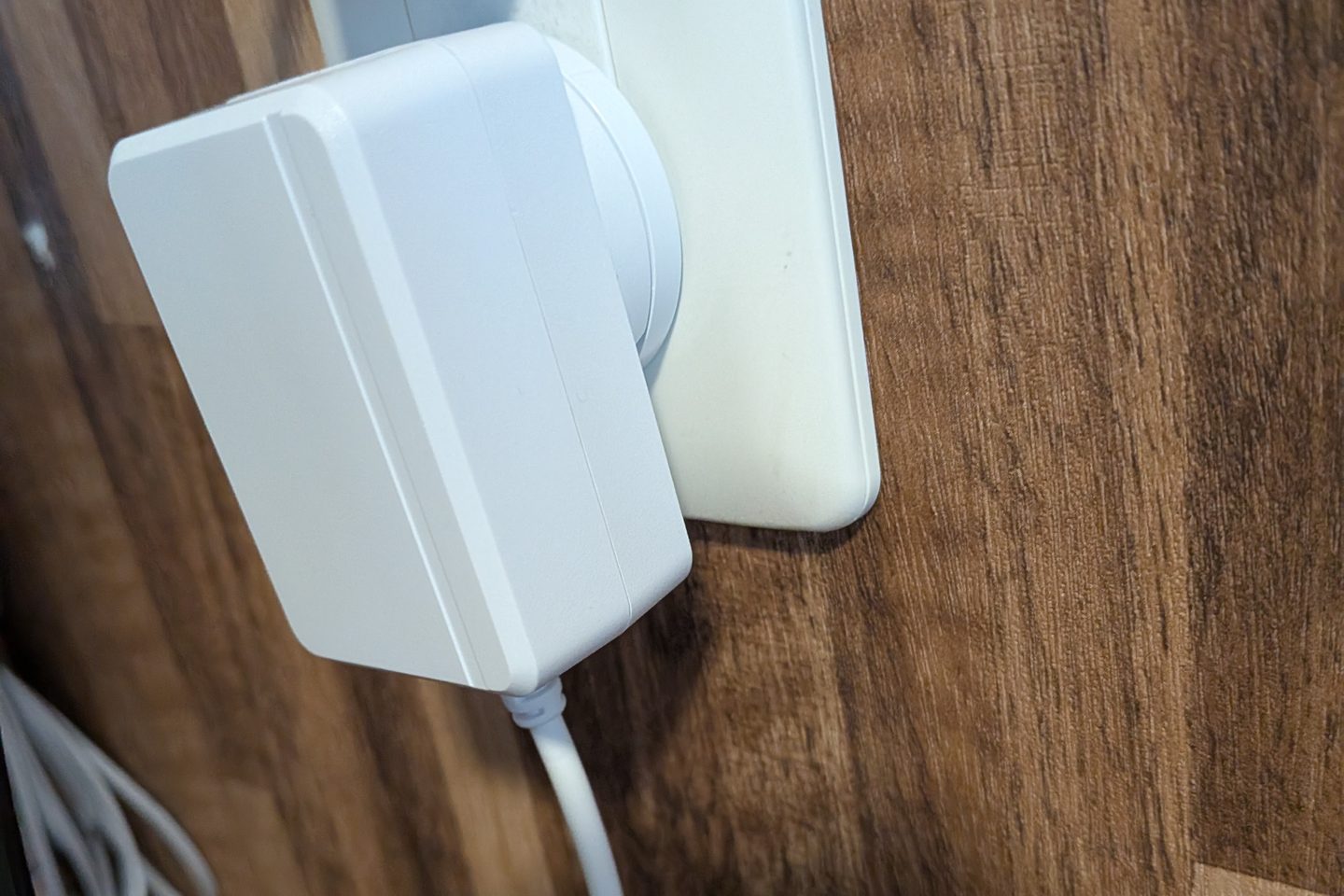
One of its most practical features is the modular power adapter. It takes interchangeable plug heads (ours came with US/Japan, EU and UK). Because the adapter plugs straight into foreign outlets, you don't spend a precious socket on a voltage converter just to keep your network running.
Setting Up NordVPN With WireGuard
The router is fully compatible with NordVPN and runs both standard VPN and WireGuard connections, so all your traffic is encrypted at the hardware level before it reaches the local network.
We chose WireGuard because it's meaningfully more efficient than a traditional VPN protocol on this hardware (more on that in the spec comparison below), and setup took only a few minutes:
- In the router's admin panel, open VPN → WireGuard Client and select NordVPN from the list of built-in providers.
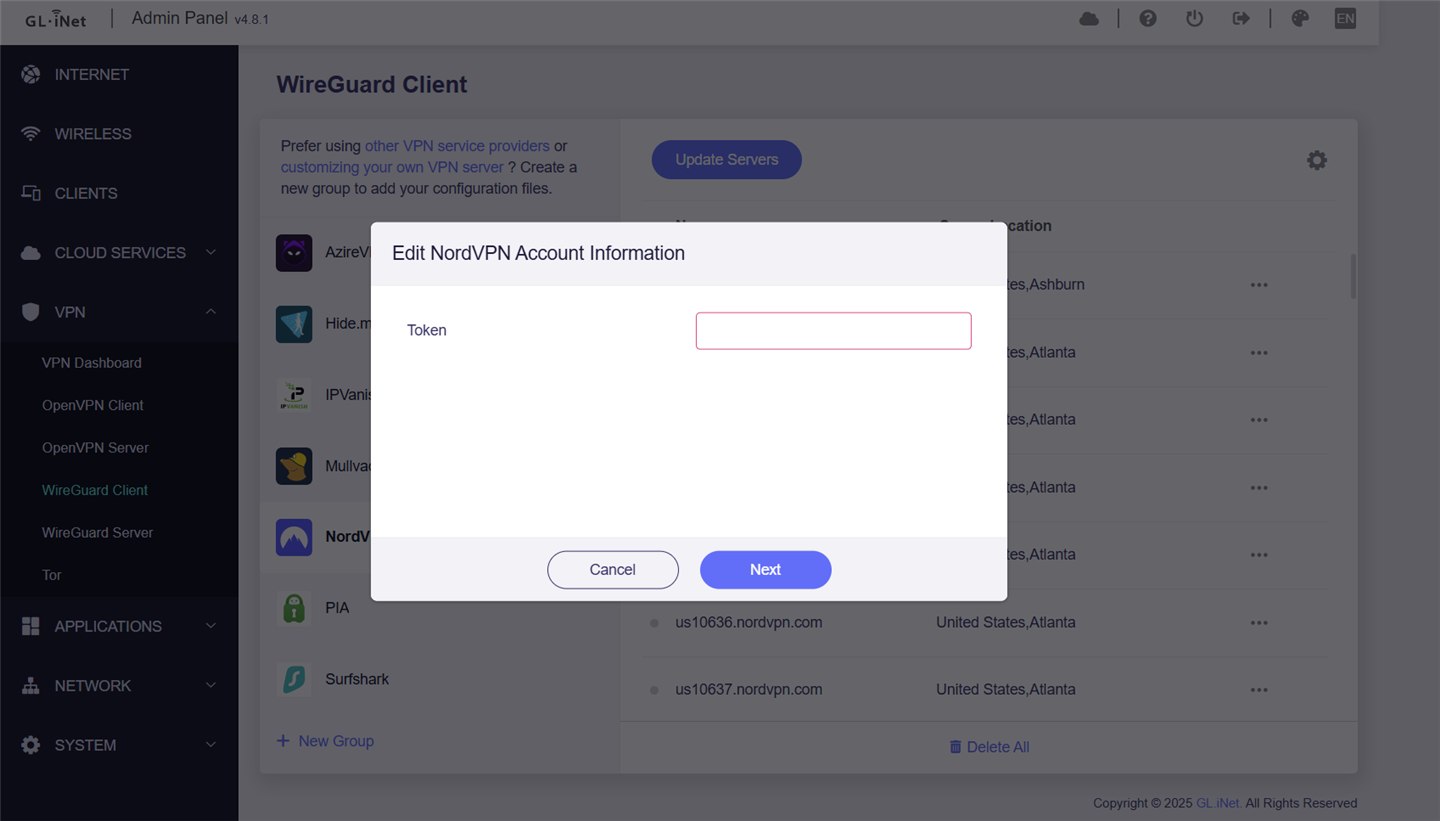
- Add the token from your NordVPN.com account when prompted. That's the only manual input required.
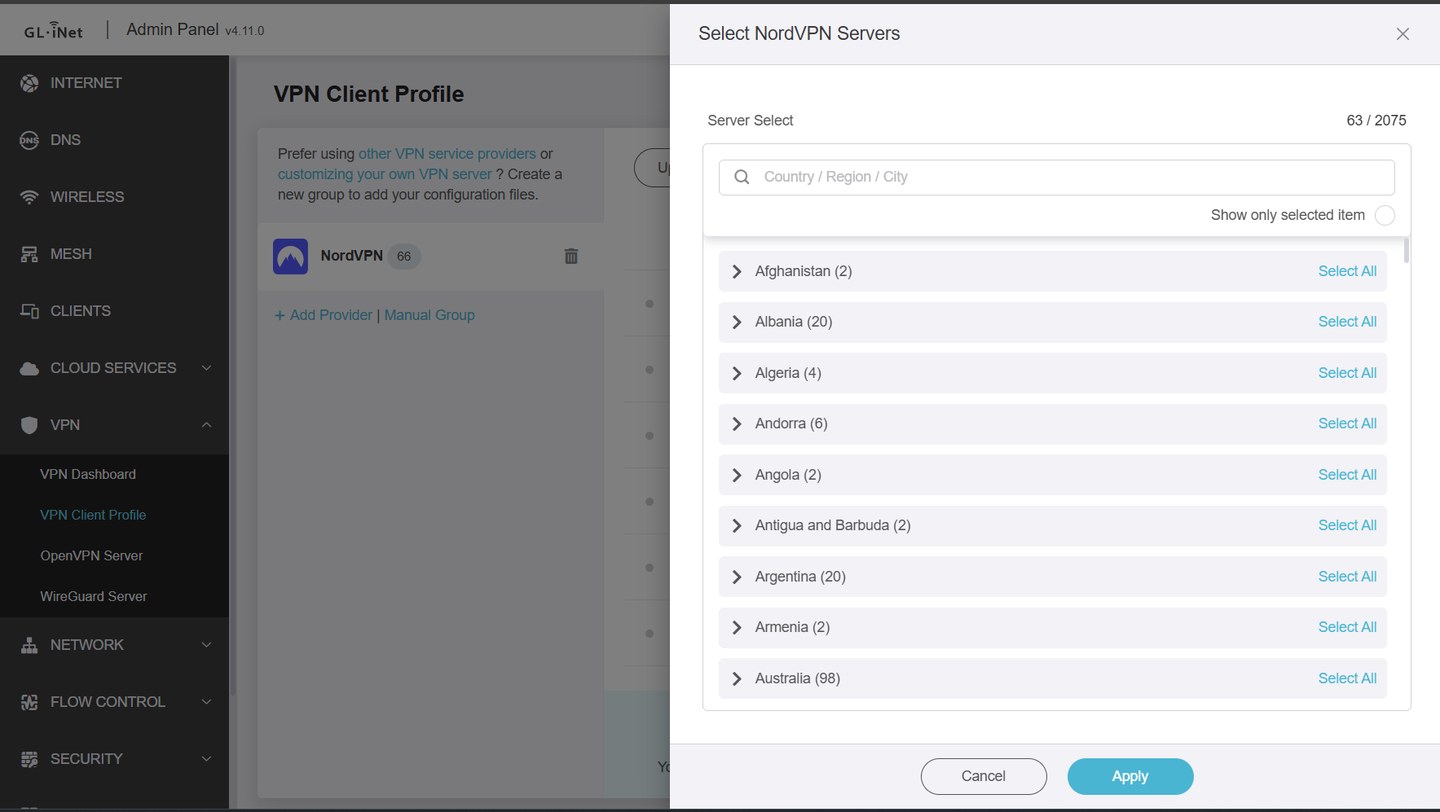
- The router pulls in NordVPN's server list and lets you choose which servers to add. The picker listed 2,075 servers, and you can search by country, region or city, or select a whole country at once.
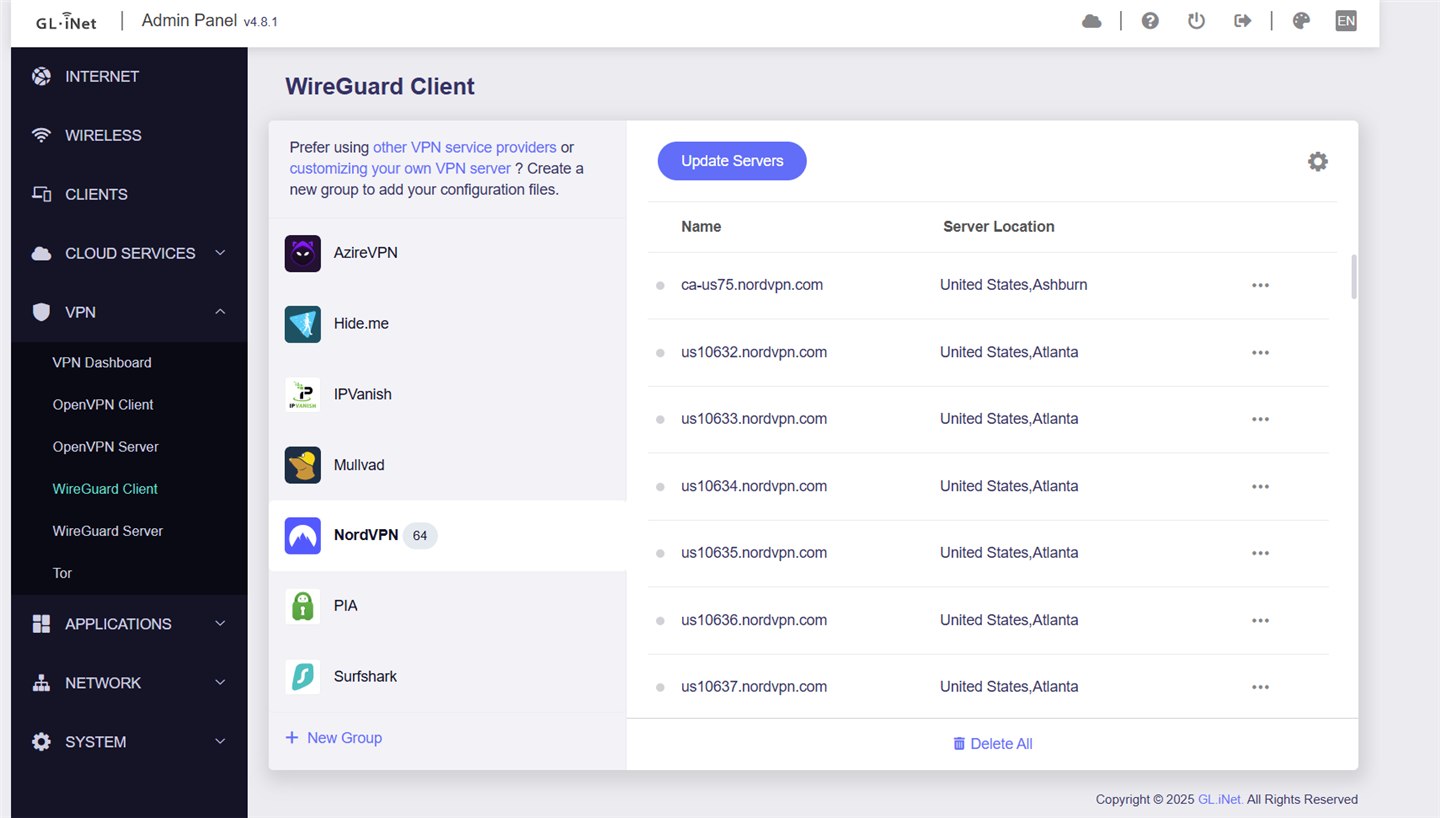
- Your chosen servers show up under the NordVPN provider in the VPN Client Profile, with their locations listed.
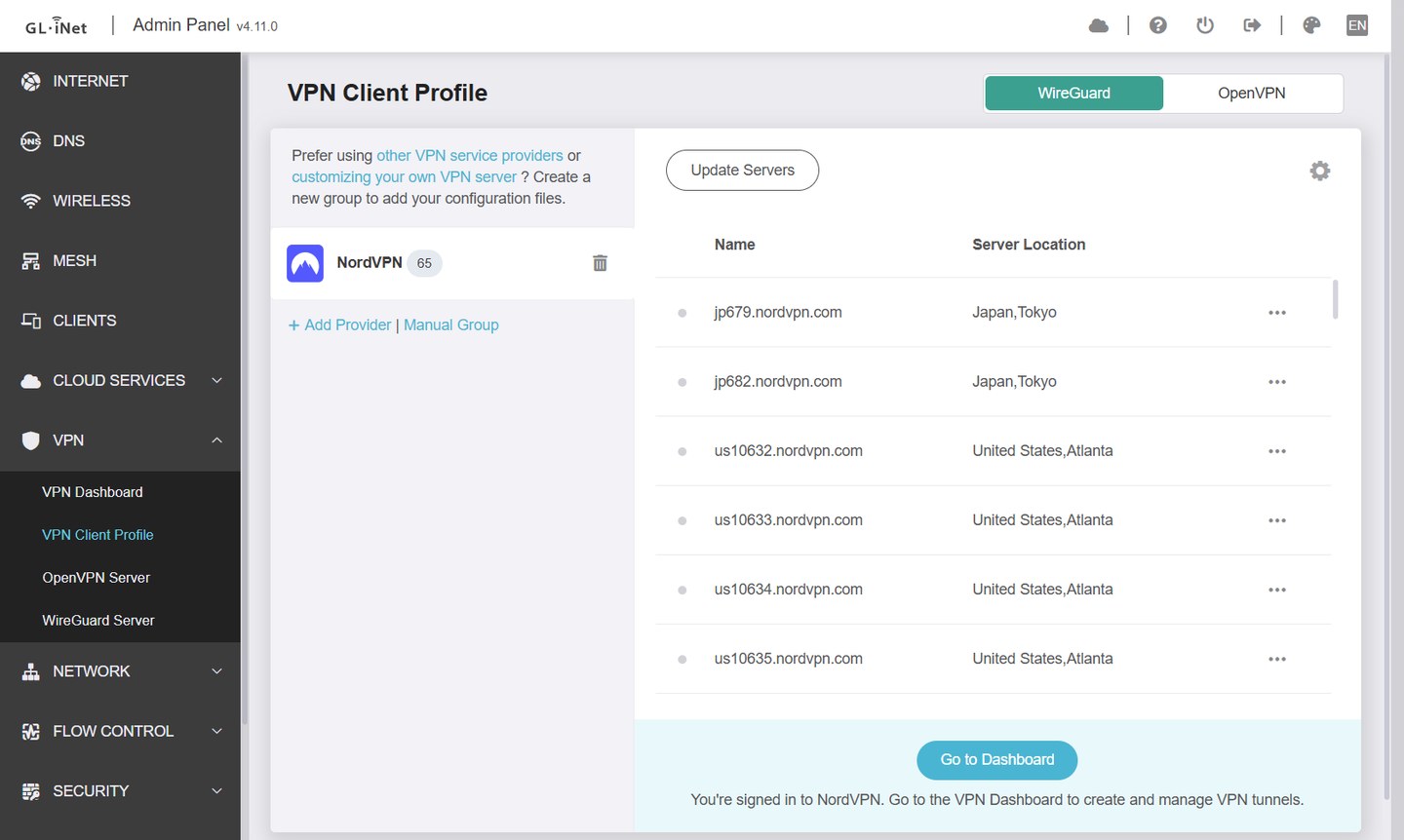
- From there, pick a location on the VPN Dashboard and switch it on. No manual config files, no copying keys by hand.
Running more than one tunnel
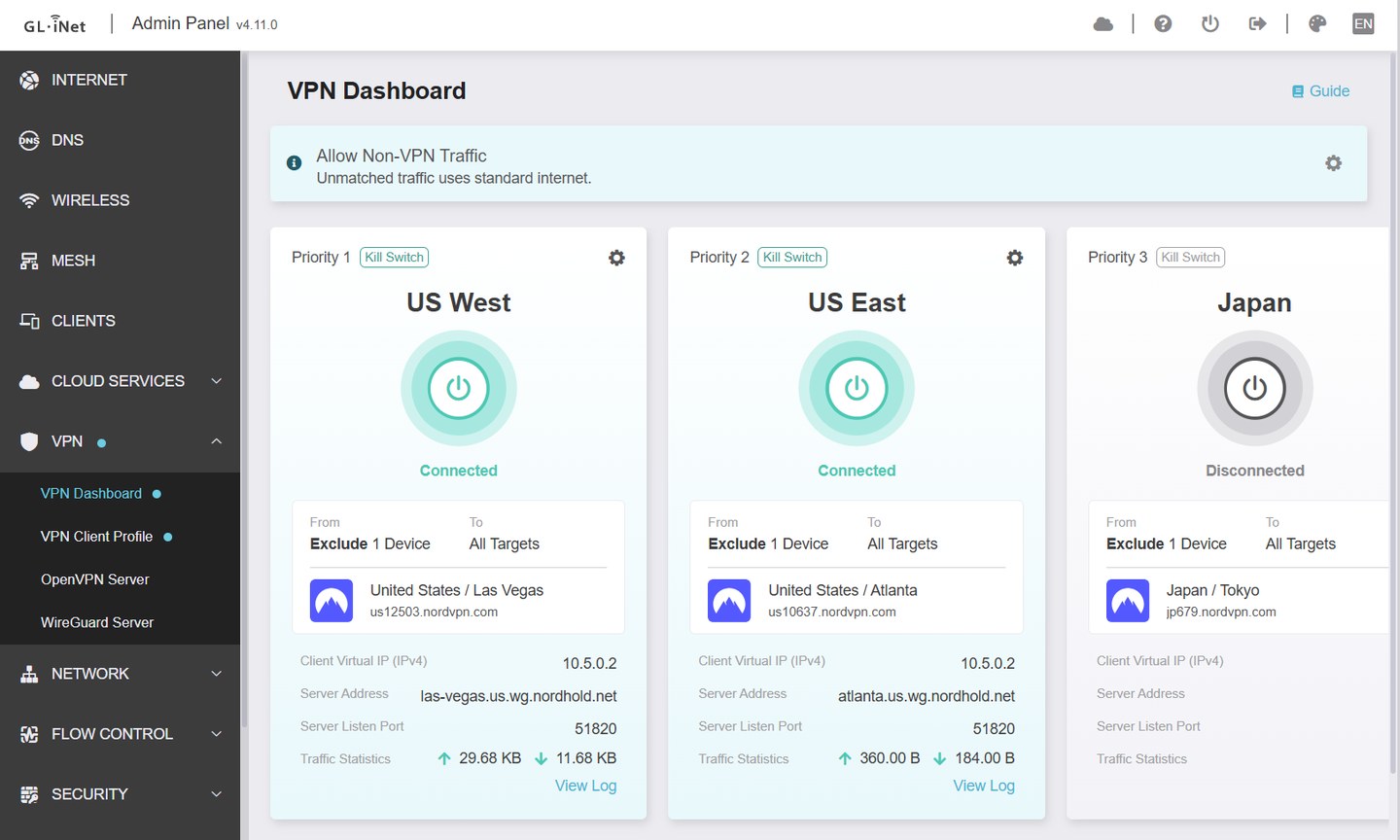
The VPN Dashboard isn't limited to one connection. You can set up several tunnels, each with its own priority and an optional kill switch, so you can choose where your traffic appears to come from. We have three: US West, US East and Japan. In the screenshot below, the first two are connected with their kill switch on and Japan is off. The page also shows a setting for what happens to traffic that doesn't match a tunnel (here, it uses the standard internet), and each tunnel can exclude individual devices.
Video coming soon: we're planning a short video of this whole build, from unboxing to the VPN dashboard. It will go up on our YouTube channel, so subscribe there if you'd like to see it.
Do You Need a 5G Modem or USB Dongle?
We went back and forth on adding a USB cellular dongle or a dedicated 5G modem, and for us it doesn't make sense. Our phones already have solid hotspot capability, so when there's no hotel or venue Wi-Fi to connect to, we just point the router at our phone's hotspot. It's one less device to carry, charge and buy a data plan for.
GL.iNet's docs list a few ways to get the router online: Ethernet, repeater mode (joining an existing Wi-Fi network, which is how a phone hotspot looks to the router), USB tethering from a phone, or a cellular USB modem. Think about which of those you'd really use before you spend extra on cellular hardware.
Beryl AX vs. Beryl 7
The Beryl 7 (GL-MT3600BE) is GL.iNet's newer compact travel router, and "Beryl 7 vs. Beryl AX" is the comparison most people are making right now. Here is how the two stack up on paper, using GL.iNet's published specs and the independent comparison at NAS Compares:
| Beryl AX (GL-MT3000) | Beryl 7 (GL-MT3600BE) | |
|---|---|---|
| Wi-Fi | Wi-Fi 6, dual band | Wi-Fi 7, dual band |
| Rated Wi-Fi speed | 574 Mbps (2.4 GHz) and 2,402 Mbps (5 GHz) | 688 Mbps (2.4 GHz) and 2,882 Mbps (5 GHz) |
| Processor | MediaTek MT7981B, dual-core 1.3 GHz | MediaTek quad-core, 2.0 GHz |
| Ethernet | One 2.5G port and one 1G port | Two 2.5G ports |
| USB | One USB 3.0 port | One USB 3.0 port |
| WireGuard speed | Up to 300 Mbps | Up to 1,100 Mbps |
| OpenVPN speed | Up to 150 Mbps | Up to 1,000 Mbps |
| Rated device capacity | 70+ devices | 120+ devices |
| Amazon price (Oct 18, 2026) | $98.99 | $129.99 |
Speeds are manufacturer ratings, not our measurements. Neither router has a 6 GHz band, and to benefit from Wi-Fi 7 your phone or laptop needs to support it too. GL.iNet lists EU, UK and AU plug converters with the Beryl 7.
What the extra money buys
Mostly headroom. The Beryl 7 has a faster processor, Wi-Fi 7, a second 2.5G port, and VPN speeds several times higher than the Beryl AX. That matters if you have a connection faster than 1 Gbps, if you push a lot of traffic through the VPN, or if you want to connect many devices at once.
Why we still pick the Beryl AX
If the connection you're plugging into is slower than 300 Mbps, as hotel and cruise-ship Wi-Fi often is, the Beryl AX's VPN speed isn't what holds you back. For a few phones, tablets and laptops, it does everything we need for less money, and it has the setup we've described above. If your travel looks different from ours, the Beryl 7 is the better buy.
A look back: the Beryl AX vs. the original Beryl
If you're coming from the older Beryl (GL-MT1300), here is GL.iNet's own side-by-side comparison: CPU, memory, Wi-Fi speed, Ethernet speed, and OpenVPN/WireGuard throughput.

The WireGuard gap (300 Mbps vs. 91 Mbps) is the number that matters for the VPN setup above, and a big part of why WireGuard is the better choice on this hardware.
Questions We Get
Is the GL.iNet Beryl AX still worth buying?
Yes, for most travelers. It gives you a pocket-sized router, a hardware-level VPN and Wi-Fi 6, and it costs less than the newer Beryl 7. The Beryl 7 is worth the extra money only if you regularly have a connection faster than about 1 Gbps, need very fast VPN speeds, or want Wi-Fi 7.
Beryl AX vs. Beryl 7: which should I buy?
Buy the Beryl AX (GL-MT3000) if you travel with phones, tablets and laptops, usually connect to hotel, ship or rental internet, and want a VPN on the router. Choose the Beryl 7 (GL-MT3600BE) if you have a connection faster than 1 Gbps, want Wi-Fi 7, need two 2.5G Ethernet ports, or push heavy VPN traffic. GL.iNet rates WireGuard at up to 300 Mbps on the Beryl AX and up to 1,100 Mbps on the Beryl 7.
Does the GL.iNet Beryl AX work with VPNs?
Yes. It's fully compatible with NordVPN and runs both standard VPN and WireGuard connections, encrypting traffic at the hardware level before it reaches the local network.
How do I set up NordVPN on the Beryl AX?
In the router's admin panel, open VPN, then WireGuard Client, and select NordVPN from the list of built-in providers. Enter the token from your NordVPN.com account when prompted. The router downloads NordVPN's server list and lets you choose which servers to add. Then pick a location on the VPN Dashboard and switch it on.
Can I use my phone's hotspot as the internet source?
Yes. When there's no hotel or venue Wi-Fi to connect to, we point the router at our phone's hotspot instead. GL.iNet's docs list repeater mode (joining an existing Wi-Fi network) and USB tethering from a phone as connection options.
Does the Beryl AX work with different power outlets abroad?
Yes. The power adapter takes interchangeable plug heads (ours came with US/Japan, EU and UK), so it plugs straight into foreign outlets without using up a voltage converter's only socket.
How much does the GL.iNet Beryl AX cost?
On October 18, 2026 the Beryl AX was $98.99 on Amazon and the newer Beryl 7 was $129.99. Prices move, so check the current listing.
The Bottom Line
For the low cost and compact size, the Beryl AX provides an outsized amount of utility and security. Unless you have a connection faster than 1 Gbps or you want Wi-Fi 7, it's still the travel router we'd buy. It is a brilliant addition to your tech kit if you want a secure, hassle-free network anywhere in the world.
View on Amazon → · See it on our Gear page →